VirtualMD
For VirtualMD


HYFATech
Tech partner for your ideas and growing businesses
- Industry
Healthcare & Medical  Time & Budget
$75,000 to $100,000
About VirtualMD
About VirtualMD:
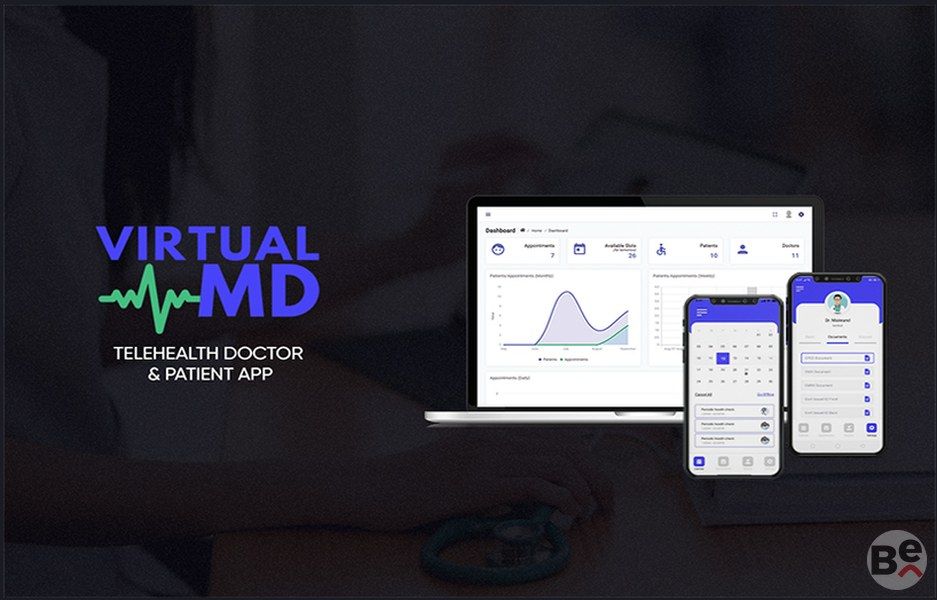
Virtual MD is a telehealth app which connects patients with doctors and allows patients to book and schedule appointments with doctors. The doctor app allows doctors to create and update their own schedule for receiving appointments. Patients can also create private notes within their app. Both doctors and patients can track their past and upcoming appointments. Admin panel allows admin to view the analytics for patients, doctors and appointments on their dashboard
How it Works
- VirtualMD is a tele health app that allows doctors to create profile and receive appointments remotely while the patients can sign up and book their appointments with doctors
- Both patient and doctor apps can be downloaded from the Play Store and App Store
- Once a doctor signs up, their profile is approved by admin from the admin panel
- The doctor can then start creating their schedule within app for receiving appointments
- The patient, after signing up, can schedule an appointment with a doctor
- The patient can choose the option of ‘Book Later’ and then select a date for the appointment
- Upon selecting the date, the patient will view all the available slots that they can book with a doctor.
- Patient can select one of those slots to book and then add any extra services that they want along with the regular check up
- Patient will then be asked for payment details to confirm the booking
- In case of urgent booking, patient can click on ‘Book Now’ upon which they will be assigned the next available appointment slot automatically
- Patient cannot book an appointment with a specific doctor; they are assigned the doctor available at the selected slot
- Once an appointment is booked, the appointment starts showing up to both the patient and the doctor in the ‘Upcoming appointments’ section
- After the appointment is attended on call, the doctor can mark the appointment complete
- While marking an appointment complete, the doctor can add whether they would require a follow up with the patient or not
- In case of follow up, the admin can set another appointment between the same patient and doctor
- Patients also have a note section in their app where they can maintain their private notes
- Both patient and doctor can also view their past appointments
- The admin panel allows admin to view the listing of all patients and doctors along with their details
- They can also view the listing for all past and upcoming appointments and can search for a specific appointment
- Admin panel also consists of analytics related to patients, doctors and appointments on the dashboard to provide a better picture of the progress